Signing in, and getting back in
Three ways to sign in to PXF, and what to do if you've forgotten your password.
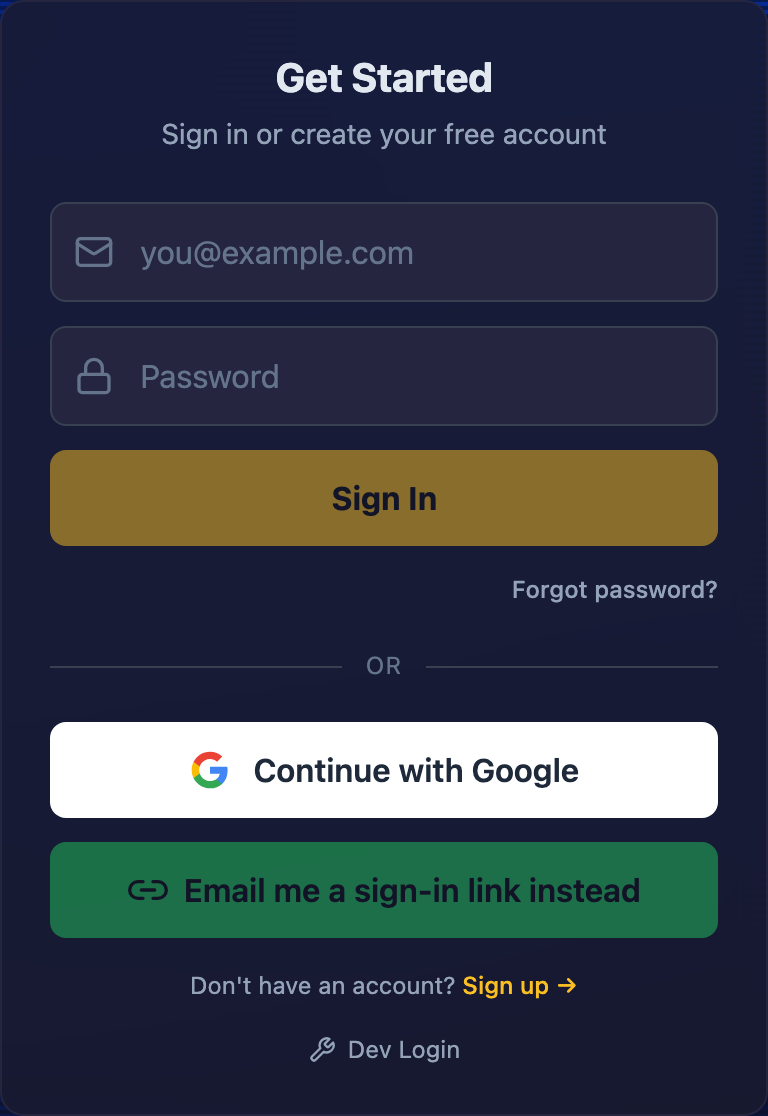
Three ways to sign in
Email + password
Type your email and password, hit Sign In.
Continue with Google
One click, if you signed up with your Google account.
Email me a sign-in link
No password to remember — click the link PXF emails you and you're in.
Use whichever one you used when you first signed up — PXF doesn't merge accounts across methods automatically, so the account tied to your email is the one you'll land in.
Forgot your password?
Click Forgot password? below the sign-in form and enter your email. PXF sends a reset link — open it, and you'll land on a page to set a new password. If you signed up with Google or a magic link (no password was ever set), reset won't apply — just use that same method to sign in instead.
First time here?
Use the Sign up → link below the sign-in form. You'll pick a method (email+password, Google, or magic link) first, then a quick entertainment-only acknowledgement before your account is created — poker involves real money changing hands between you and your crew, and PXF is a tracking tool, not a betting service.
Last updated July 1, 2026