Check your payout against PokerNow's ledger
The PXF payout calculator tells you who owes who. The Live Balance Check makes sure it's right — by comparing our math against PokerNow's own Session Ledger, the number everyone at the table already trusts.
What it is
A 30-second sanity check that proves your settlement is correct before anyone Venmos a cent — PXF's total vs. PokerNow's ledger, side by side.
When you'd use it
Every time you settle up after a game — especially when there were rebuys, a mixed chip rate, or a number someone's squinting at.
Do it in four steps
Open the payout calculator
Use the free calculator (no login), or open Payout inside the PXF Analyzer after you've loaded a session.
Copy your Session Ledger in PokerNow
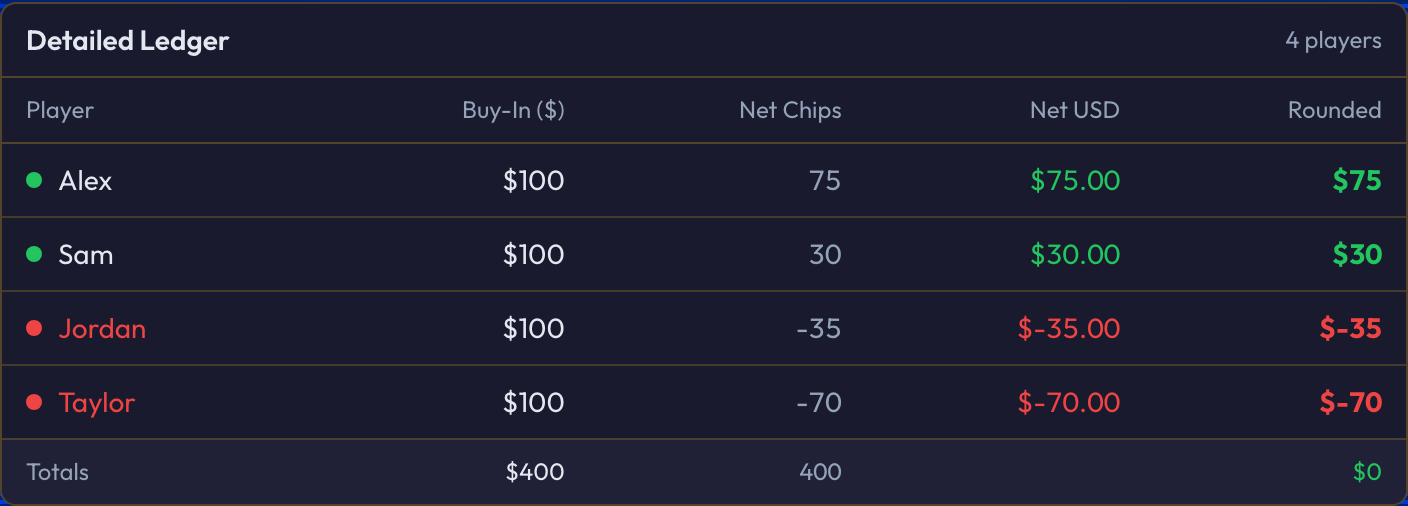
In your PokerNow game, open the Ledger — the table that lists every player with their buy-in and final stack (PokerNow's official record of the night). To copy it, drag from the top of the table all the way down to the bottom to highlight everything, then copy with Cmd + C (Mac) or Ctrl + C (Windows).


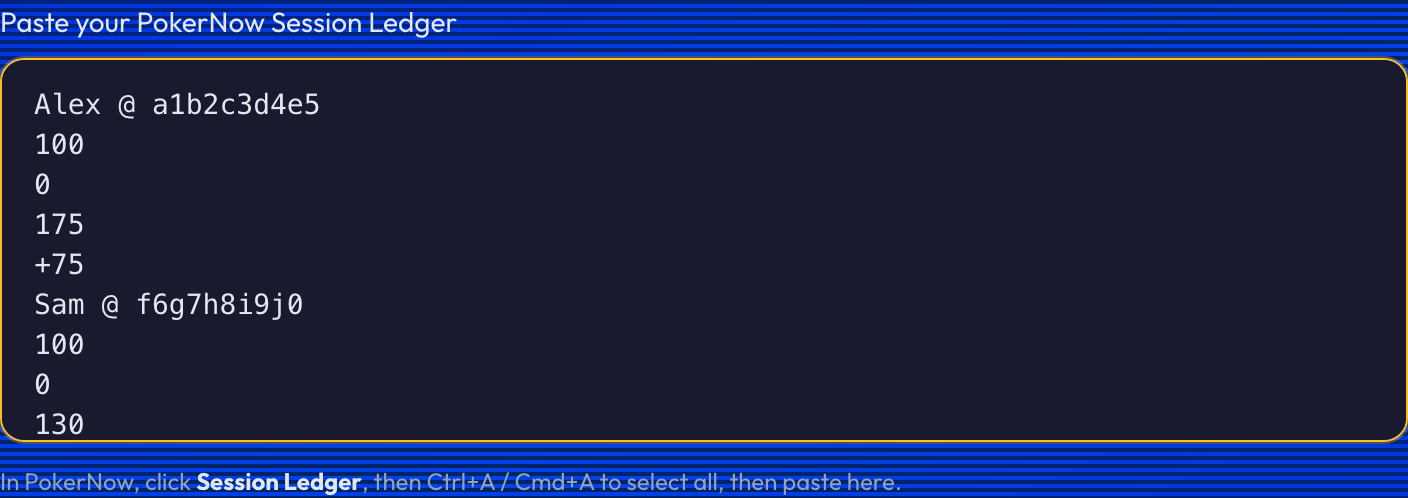
Paste it into the Session Ledger box
Paste straight into the Session Ledger field in PXF. We read every player and their net automatically — no cleanup, no reformatting.
Read the Live Balance Check
PXF compares its own total to the ledger you pasted. If they agree, you're done — settle up with confidence. If they don't, PXF shows you exactly where the gap is.

What you should see
It balances
Every winner and loser nets to zero against the ledger. The Settlement Plan is correct — pay it out.
It's off
PXF flags the difference. Trust the ledger — hit Use ledger numbers to settle on PokerNow's exact figures, and you're covered.
A few things to know
- ·Chip rate matters. Set your real dollars-per-chip so the totals come out in money, not chips. A wrong rate is the #1 reason a check looks "off."
- ·A manual upload doesn't carry the ledger. If you uploaded a hand-history file, paste the ledger here too — that's what makes the settlement exact.
- ·A small gap is usually a rebuy or rounding. The check points you right at it, so you can fix it in seconds instead of re-counting the whole night.
Why we built this in
The ledger is PokerNow's source of truth. Most nights the check just turns green and you move on — but every so often it catches the one that matters: a missed rebuy, a misread stack, a number that was about to send the wrong amount to the wrong person. Thirty seconds here saves the "wait, that's not right" text the next morning.
Last updated June 29, 2026